Creative Lab — Lamp API
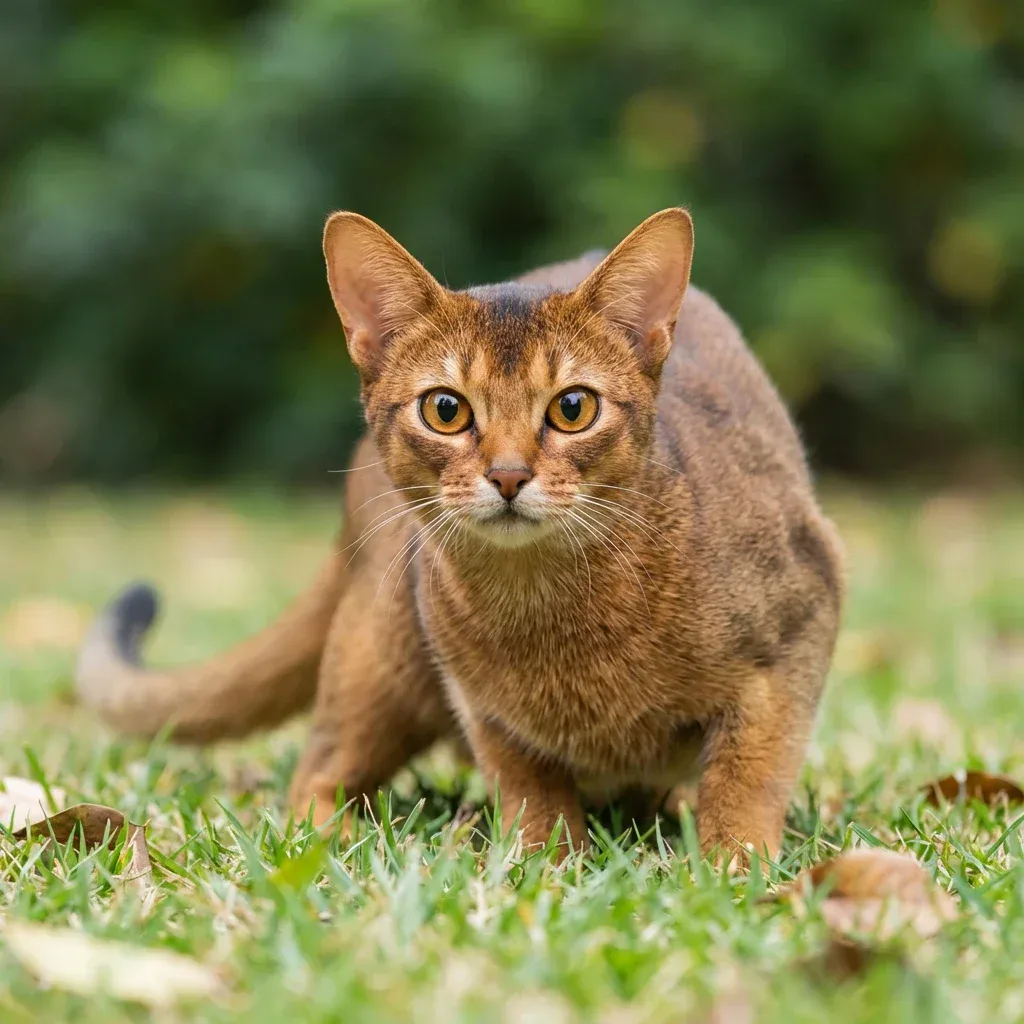
Turn a source photo into a 3D-printable lampshade in two stages:
prototype generates a stylized matte-white concept image and turns it into
a hollow 3D model (GLB), then build runs the lamp processor on that model
to produce the printable STL parts — an open-bottom lampshade with a base plate
for the light-source fixture, plus the fixture mount itself. The two stages are
linked via input_task_id.
POST /openapi/creative-lab/lamp/v1/prototypePOST /openapi/creative-lab/lamp/v1/build
Create a Lamp Prototype Task
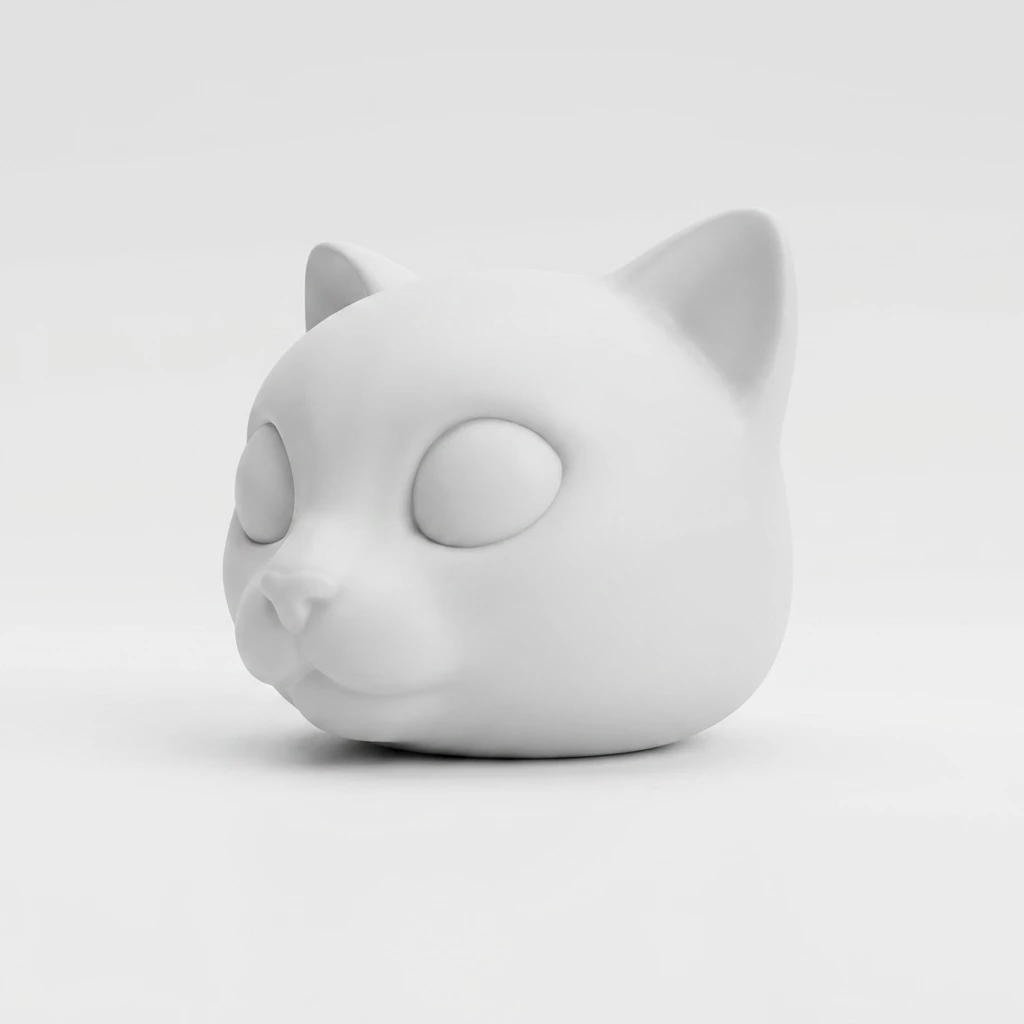
Generate a single matte-white concept image from a reference photo and
convert it into a hollow 3D lampshade model. The response carries both the
concept image (image_urls) and the 3D model (model_urls.glb with a
thumbnail_url). The returned task ID is what you pass as input_task_id
to the build endpoint. Refer to
The Lamp Prototype Task Object
for the response shape.
Parameters
- Name
- image_url
- Type
- string
- Required
- Description
Source photo Meshy uses as the visual reference for the lampshade. We currently support
.jpg,.jpeg,.png, and.webpformats.There are two ways to provide the image:
- Publicly accessible URL: A URL that is accessible from the public internet.
- Data URI: A base64-encoded data URI of the image. Example of a data URI:
data:image/jpeg;base64,<your base64-encoded image data>.
- Name
- image_subject
- Type
- string
- default character
- Description
Subject category hint that selects the stylization prompt. Available values:
character(default) — single character / object subject (figurine, animal, mascot, etc.).landscape— outdoor scene / panorama subject (mountain, cityscape, forest, etc.).
- Name
- name
- Type
- string
- Description
Optional task name for display purposes. Maximum 100 characters.
- Name
- remove_background
- Type
- boolean
- default false
- Description
When set to
true, the prototype image is returned as a transparent RGBA PNG with the background removed, so you can composite the subject onto any background.
Returns
The result property of the response contains the task id of the newly created lamp prototype task. Poll the Get a Task endpoint or subscribe to the stream until the task reaches SUCCEEDED, then pass that ID to the build endpoint as input_task_id.
Failure Modes
- Name
400 - Bad Request- Description
The request was unacceptable. Common causes:
- Missing parameter:
image_urlis required. - Invalid image format: The provided
image_urlis not a supported format (.jpg,.jpeg,.png,.webp). - Image dimensions out of range: The image is too small, exceeds the maximum file size, or exceeds the maximum pixel count.
- Unreachable URL: The
image_urlcould not be downloaded (404 or timeout). - Invalid Data URI: The base64 string is malformed.
- Content flagged: The input image was flagged by NSFW or intellectual property moderation.
- Invalid
image_subject: Not one ofcharacter/landscape.
- Missing parameter:
- Name
401 - Unauthorized- Description
Authentication failed. Please check your API key.
- Name
402 - Payment Required- Description
Insufficient credits to perform this task.
- Name
429 - Too Many Requests- Description
You have exceeded your rate limit.
Request
# Stage 1: concept image + hollow 3D lampshade model from a source photo
curl https://api.meshy.ai/openapi/creative-lab/lamp/v1/prototype \
  -X POST \
  -H "Authorization: Bearer ${YOUR_API_KEY}" \
  -H 'Content-Type: application/json' \
  -d '{
    "image_url": "<your publicly accessible image url or base64-encoded data URI>",
    "image_subject": "character"
  }'
Response
{
  "result": "018a210d-8ba4-705c-b111-1f1776f7f578"
}
Create a Lamp Build Task
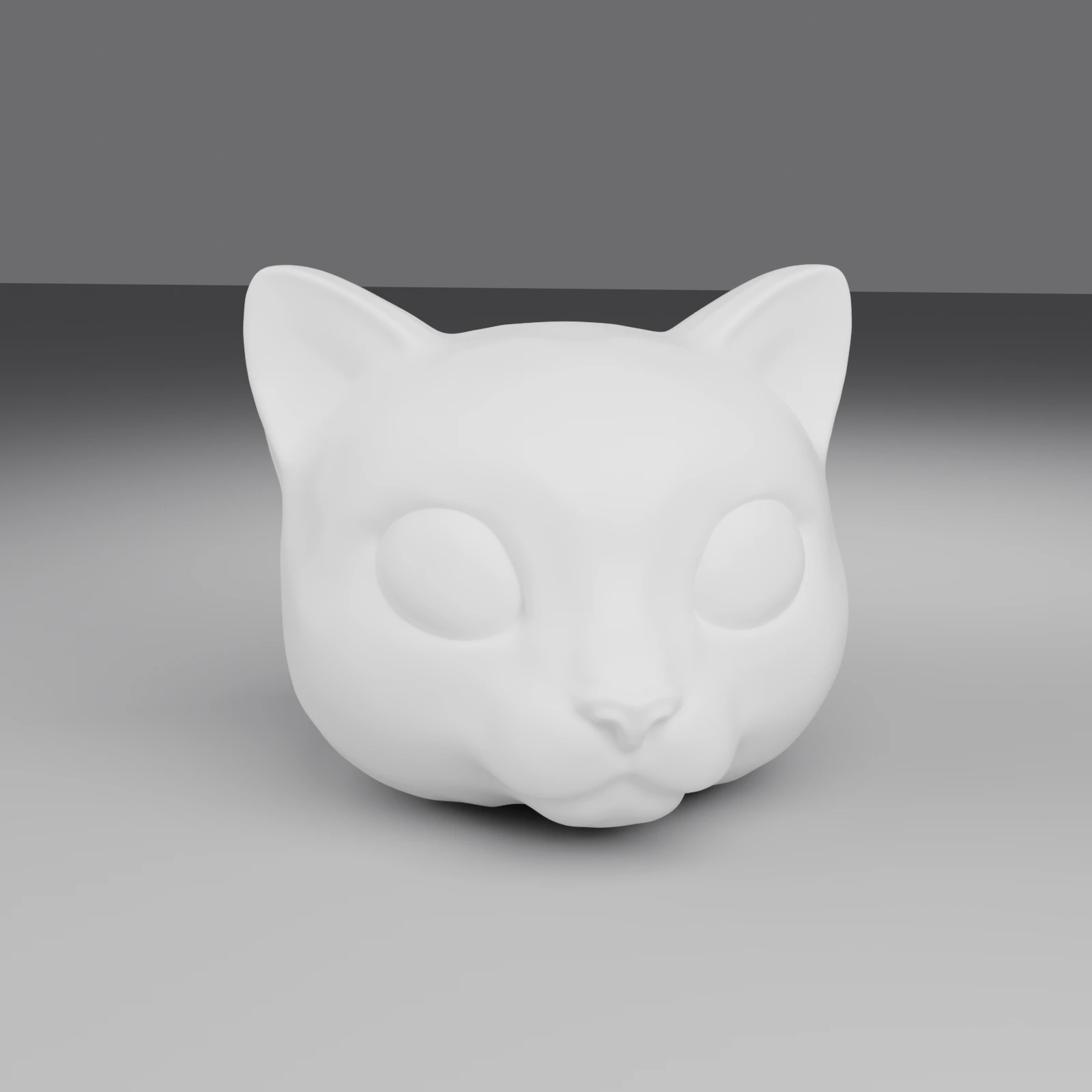
Generate the final 3D-printable parts from a succeeded prototype task.
The build runs the lamp processor on the prototype's 3D model: it scales
the model to diameter_mm, flattens the bottom by cut_amount_percent,
hollows it to thickness_mm, opens the bottom, and — when a fixture
preset is chosen — adds a base plate with the fixture hole and a separate
mount for the light source. Refer to
The Lamp Build Task Object for the
response shape.
Parameters
- Name
- input_task_id
- Type
- string
- Required
- Description
The task ID of a prototype task created via this same OpenAPI endpoint. The prototype must have been created with the same API key, must have reached
SUCCEEDED, and must have produced a 3D model.Prototype tasks created through the webapp are not accepted — the build endpoint accepts only prototype tasks produced by
POST /openapi/creative-lab/lamp/v1/prototypeand refuses any other source with404.
- Name
- name
- Type
- string
- Description
Optional task name for display purposes. Maximum 100 characters.
options
Optional tuning parameters for the lampshade geometry. Every field has a sensible default — send only the ones you want to override.
- Name
- diameter_mm
- Type
- number
- default 150
- Description
Target maximum dimension of the lampshade bounding box, in millimeters. The mesh is uniformly scaled to fit. Range:
[50, 400].
- Name
- thickness_mm
- Type
- number
- default 1
- Description
Wall thickness of the hollow lampshade, in millimeters. Range:
(0, 10].
- Name
- cut_amount_percent
- Type
- number
- default 1
- Description
Percentage of the model height cut flat at the bottom, so the lampshade sits on the print bed and has an opening for the fixture. Range:
[1, 100].
- Name
- light_source_preset
- Type
- string
- default bambu_mh001_60mm
- Description
Light-source fixture preset that determines how the bottom is built. Available values:
bambu_mh001_60mm(default) — open-bottom lampshade plus a base plate carrying a 60 mm fixture hole, both inmodel_urls.lamp_stl, and the fixture mount asmodel_urls.base_stl.none— a single sealed lampshade inmodel_urls.lamp_stl;model_urls.base_stlis omitted.
- Name
- fixture_offset_x_mm
- Type
- number
- default 0
- Description
X-axis offset of the fixture hole on the base plate, relative to the lampshade center, in millimeters. Only meaningful when
light_source_preset≠none. Range:[-80, 80].
- Name
- fixture_offset_z_mm
- Type
- number
- default 0
- Description
Z-axis (depth) offset of the fixture hole on the base plate, relative to the lampshade center, in millimeters. Only meaningful when
light_source_preset≠none. Range:[-80, 80].
- Name
- rotate_x_deg
- Type
- number
- default 0
- Description
Rotation around the X axis applied to the model before processing, in degrees. The three rotations are applied as XYZ Euler angles about the model's center. Range:
[-360, 360].
- Name
- rotate_y_deg
- Type
- number
- default 0
- Description
Rotation around the Y axis applied to the imported mesh before processing, in degrees. Range:
[-360, 360].
- Name
- rotate_z_deg
- Type
- number
- default 0
- Description
Rotation around the Z axis applied to the imported mesh before processing, in degrees. Range:
[-360, 360].
- Name
- include_result_json
- Type
- boolean
- default false
- Description
When
trueandoutput.formatiszip, includes the lamp processor'sresult.json(pipeline name, warnings, and artifact paths) inside the bundle. Ignored whenoutput.formatisstl.
output
Optional wire-format selector. Defaults to stl.
- Name
- format
- Type
- string
- default stl
- Description
Artifact bundle returned by the build. Available values:
stl(default) — returnsmodel_urls.lamp_stl(the lampshade, together with the base plate when a fixture preset is set), plusmodel_urls.base_stlwhenlight_source_preset≠none.zip— packages every artifact the processor emits (lamp.stl, optionalbase.stl, optionalresult.json) into a single zip and returns it undermodel_urls.bundle_zip.
Returns
The result property of the response contains the task id of the newly created lamp build task. Poll the Get a Task endpoint or subscribe to the stream until the task reaches SUCCEEDED, then download the artifacts from model_urls.
Failure Modes
- Name
400 - Bad Request- Description
The request was unacceptable. Common causes:
- Missing parameter:
input_task_idis required. - Invalid UUID: The
input_task_idis not a valid UUID. - Parent not succeeded: The referenced prototype task has not reached
SUCCEEDEDyet. - No model: The prototype task succeeded but produced no 3D model.
- Options out of range: One of the
optionsfields fell outside its allowed range or enum set.
- Missing parameter:
- Name
401 - Unauthorized- Description
Authentication failed. Please check your API key.
- Name
402 - Payment Required- Description
Insufficient credits to perform this task.
- Name
404 - Not Found- Description
The referenced prototype task does not exist, belongs to a different user, or was created through the webapp (only API-mode prototype tasks chain into build).
- Name
429 - Too Many Requests- Description
You have exceeded your rate limit.
Request
# Stage 2: chain build off a succeeded prototype task
curl https://api.meshy.ai/openapi/creative-lab/lamp/v1/build \
  -X POST \
  -H "Authorization: Bearer ${YOUR_API_KEY}" \
  -H 'Content-Type: application/json' \
  -d '{
    "input_task_id": "018a210d-8ba4-705c-b111-1f1776f7f578",
    "options": {
      "diameter_mm": 120,
      "thickness_mm": 2,
      "light_source_preset": "bambu_mh001_60mm",
      "cut_amount_percent": 30
    },
    "output": {
      "format": "stl"
    }
  }'
Response
{
  "result": "019c320e-9a8f-7a1c-9c11-2a1876f8a9bb"
}
Retrieve a Lamp Task
Retrieve a prototype or build task given a valid task id. The URL path
must match the task's stage — a build task fetched through
/prototype/:id returns 404, and vice versa.
Refer to The Lamp Prototype Task Object and The Lamp Build Task Object for response shapes.
Parameters
- Name
- id
- Type
- path
- Description
Unique identifier for the lamp task to retrieve.
Returns
The response contains the lamp task object. The shape depends on which stage was requested.
Request
# Prototype
curl https://api.meshy.ai/openapi/creative-lab/lamp/v1/prototype/018a210d-8ba4-705c-b111-1f1776f7f578 \
  -H "Authorization: Bearer ${YOUR_API_KEY}"

# Build
curl https://api.meshy.ai/openapi/creative-lab/lamp/v1/build/019c320e-9a8f-7a1c-9c11-2a1876f8a9bb \
  -H "Authorization: Bearer ${YOUR_API_KEY}"
Prototype Response
{
  "id": "018a210d-8ba4-705c-b111-1f1776f7f578",
  "type": "creative-lab-lamp-prototype",
  "name": "",
  "status": "SUCCEEDED",
  "progress": 100,
  "created_at": 1729123456000,
  "started_at": 1729123460000,
  "finished_at": 1729123486000,
  "expires_at": 1729382686000,
  "preceding_tasks": 0,
  "task_error": null,
  "consumed_credits": 30,
  "model_urls": {
    "glb": "https://assets.meshy.ai/***/tasks/018a210d-8ba4-705c-b111-1f1776f7f578/output/model.glb?Expires=***"
  },
  "thumbnail_url": "https://assets.meshy.ai/***/tasks/018a210d-8ba4-705c-b111-1f1776f7f578/output/preview.png?Expires=***",
  "image_urls": [
    "https://assets.meshy.ai/***/concept.png?Expires=***"
  ]
}
Build Response
{
  "id": "019c320e-9a8f-7a1c-9c11-2a1876f8a9bb",
  "type": "creative-lab-lamp-build",
  "name": "",
  "status": "SUCCEEDED",
  "progress": 100,
  "created_at": 1729123500000,
  "started_at": 1729123510000,
  "finished_at": 1729123535000,
  "expires_at": 1729382735000,
  "preceding_tasks": 0,
  "task_error": null,
  "consumed_credits": 6,
  "model_urls": {
    "lamp_stl": "https://assets.meshy.ai/***/tasks/019c320e-9a8f-7a1c-9c11-2a1876f8a9bb/output/lamp.stl?Expires=***",
    "base_stl": "https://assets.meshy.ai/***/tasks/019c320e-9a8f-7a1c-9c11-2a1876f8a9bb/output/base.stl?Expires=***"
  }
}
Delete a Lamp Task
Cancel a lamp task. If the task is still PENDING, the credits consumed
at create-time are refunded. Tasks that are already IN_PROGRESS are
cancelled without a refund (the worker may already be burning resources).
Tasks that have already reached a terminal state (SUCCEEDED, FAILED,
CANCELED) cannot be cancelled.
The URL path must match the task's stage — DELETE on
/prototype/:buildId returns 404.
Path Parameters
- Name
- id
- Type
- path
- Description
Unique identifier for the lamp task to cancel.
Returns
Returns 204 No Content on success with an empty body.
Failure Modes
- Name
400 - Bad Request- Description
The task is already in a terminal state and cannot be cancelled.
- Name
404 - Not Found- Description
The task does not exist, belongs to a different user, or its stage does not match the URL path.
Request
curl --request DELETE \
  --url https://api.meshy.ai/openapi/creative-lab/lamp/v1/prototype/018a210d-8ba4-705c-b111-1f1776f7f578 \
  -H "Authorization: Bearer ${YOUR_API_KEY}"
Response
// Returns 204 No Content on success (empty body).
Stream a Lamp Task
Stream real-time updates for a lamp task via Server-Sent Events (SSE).
The URL path must match the task's stage — opening a stream at
/prototype/:buildId/stream emits a single event: error payload with
status_code: 404 and closes the stream.
Parameters
- Name
- id
- Type
- path
- Description
Unique identifier for the lamp task to stream.
Returns
Returns a stream of Lamp Prototype
or Lamp Build task objects as
Server-Sent Events. For PENDING or IN_PROGRESS tasks, the response
stream will only include the necessary progress and status fields.
Request
curl -N https://api.meshy.ai/openapi/creative-lab/lamp/v1/build/019c320e-9a8f-7a1c-9c11-2a1876f8a9bb/stream \
-H "Authorization: Bearer ${YOUR_API_KEY}"
Response Stream
// Error event example (wrong stage or task not found)
event: error
data: {
  "status_code": 404,
  "message": "Task not found"
}

// Message event examples illustrate task progress.
// For PENDING or IN_PROGRESS tasks, the response stream will not include all fields.
event: message
data: {
  "id": "019c320e-9a8f-7a1c-9c11-2a1876f8a9bb",
  "progress": 0,
  "status": "PENDING"
}

event: message
data: {
  "id": "019c320e-9a8f-7a1c-9c11-2a1876f8a9bb",
  "type": "creative-lab-lamp-build",
  "status": "SUCCEEDED",
  "progress": 100,
  "created_at": 1729123500000,
  "started_at": 1729123510000,
  "finished_at": 1729123535000,
  "expires_at": 1729382735000,
  "task_error": null,
  "consumed_credits": 6,
  "model_urls": {
    "lamp_stl": "https://assets.meshy.ai/***/tasks/019c320e-9a8f-7a1c-9c11-2a1876f8a9bb/output/lamp.stl?Expires=***",
    "base_stl": "https://assets.meshy.ai/***/tasks/019c320e-9a8f-7a1c-9c11-2a1876f8a9bb/output/base.stl?Expires=***"
  }
}
List Lamp Tasks
Retrieve a paginated list of your lamp tasks for a single stage. The URL
path selects the stage — /prototype returns prototype tasks; /build
returns build tasks. Tasks from the other stage are not included in either
response.
Path Parameters
- Name
- stage
- Type
- path
- Required
- Description
Either
prototypeorbuild. The collection returns only tasks whose stage matches the URL — fetching/prototypenever returns build tasks and vice versa.
Query Parameters
- Name
- page_num
- Type
- integer
- default 1
- Description
Page number for pagination.
- Name
- page_size
- Type
- integer
- default 10
- Description
Page size limit. Maximum allowed is
50items.
- Name
- sort_by
- Type
- string
- default -created_at
- Description
Field to sort by. Available values:
+created_at: Sort by creation time in ascending order.-created_at: Sort by creation time in descending order.
Returns
Returns a paginated list of the per-stage task object — either
the lamp prototype task object
when listing /prototype or
the lamp build task object when
listing /build.
Request
# List prototype tasks
curl https://api.meshy.ai/openapi/creative-lab/lamp/v1/prototype?page_size=10 \
  -H "Authorization: Bearer ${YOUR_API_KEY}"

# List build tasks
curl https://api.meshy.ai/openapi/creative-lab/lamp/v1/build?page_size=10 \
  -H "Authorization: Bearer ${YOUR_API_KEY}"
Response (List Prototype Tasks)
[
  {
    "id": "018a210d-8ba4-705c-b111-1f1776f7f578",
    "type": "creative-lab-lamp-prototype",
    "name": "",
    "status": "SUCCEEDED",
    "progress": 100,
    "created_at": 1729123456000,
    "started_at": 1729123460000,
    "finished_at": 1729123486000,
    "expires_at": 1729382686000,
    "preceding_tasks": 0,
    "task_error": null,
    "consumed_credits": 30,
    "model_urls": {
      "glb": "https://assets.meshy.ai/***/tasks/018a210d-8ba4-705c-b111-1f1776f7f578/output/model.glb?Expires=***"
    },
    "thumbnail_url": "https://assets.meshy.ai/***/tasks/018a210d-8ba4-705c-b111-1f1776f7f578/output/preview.png?Expires=***",
    "image_urls": [
      "https://assets.meshy.ai/***/concept.png?Expires=***"
    ]
  }
]
The Lamp Prototype Task Object
The Lamp Prototype Task object is a work unit that Meshy keeps track of to
generate a stylized matte-white concept image from a source photo and
convert it into a hollow 3D model. The output of this stage is chained into
the build stage via input_task_id.
Properties
- Name
- id
- Type
- string
- Description
Unique identifier for the task. While we use a k-sortable UUID for task ids as the implementation detail, you should not make any assumptions about the format of the id.
- Name
- type
- Type
- string
- Description
Type of the task. The value is
creative-lab-lamp-prototype.
- Name
- name
- Type
- string
- Description
The task name supplied when the task was created. Empty string if no name was provided.
- Name
- status
- Type
- string
- Description
Status of the task. Possible values are one of
PENDING,IN_PROGRESS,SUCCEEDED,FAILED,CANCELED.
- Name
- progress
- Type
- integer
- Description
Progress of the task. If the task is not started yet, this property will be
0. Once the task has succeeded, this will become100.
- Name
- created_at
- Type
- timestamp
- Description
Timestamp of when the task was created, in milliseconds.
A timestamp represents the number of milliseconds elapsed since January 1, 1970 UTC, following the RFC 3339 standard. For example, Friday, September 1, 2023 12:00:00 PM GMT is represented as
1693569600000. This applies to all timestamps in Meshy API.
- Name
- started_at
- Type
- timestamp
- Description
Timestamp of when the task was started, in milliseconds. If the task is not started yet, this property will be
0.
- Name
- finished_at
- Type
- timestamp
- Description
Timestamp of when the task was finished, in milliseconds. If the task is not finished yet, this property will be
0.
- Name
- expires_at
- Type
- timestamp
- Description
Timestamp of when the task result expires, in milliseconds.
- Name
- preceding_tasks
- Type
- integer
- Description
The count of preceding tasks.
The value of this field is meaningful only if the task status is
PENDING.
- Name
- task_error
- Type
- object
- Description
Error details for failed tasks. See Errors for the full
task_errorobject reference.
- Name
- consumed_credits
- Type
- integer
- Description
The number of credits consumed by this task. Present when the task status is
PENDING,IN_PROGRESS, orSUCCEEDED. Returns0forFAILEDtasks (credits are refunded on failure).
- Name
- model_urls
- Type
- object
- Description
Downloadable URLs for the 3D model generated from the concept image. Present once the task has succeeded;
{}before that.- Name
glb- Type
- string
- Description
Downloadable URL to the hollow matte-white lampshade model in GLB format. This is the model the build stage processes.
- Name
- thumbnail_url
- Type
- string
- Description
Downloadable URL to a rendered preview of the 3D model. Empty string until the task has succeeded.
- Name
- image_urls
- Type
- array of strings
- Description
Downloadable URLs for the concept image candidates generated by this prototype task. Currently the API always returns exactly one candidate; the field is an array so future revisions can surface multiple candidates without a breaking change.
Example Lamp Prototype Task Object
{
  "id": "018a210d-8ba4-705c-b111-1f1776f7f578",
  "type": "creative-lab-lamp-prototype",
  "name": "",
  "status": "SUCCEEDED",
  "progress": 100,
  "created_at": 1729123456000,
  "started_at": 1729123460000,
  "finished_at": 1729123486000,
  "expires_at": 1729382686000,
  "preceding_tasks": 0,
  "task_error": null,
  "consumed_credits": 30,
  "model_urls": {
    "glb": "https://assets.meshy.ai/***/tasks/018a210d-8ba4-705c-b111-1f1776f7f578/output/model.glb?Expires=***"
  },
  "thumbnail_url": "https://assets.meshy.ai/***/tasks/018a210d-8ba4-705c-b111-1f1776f7f578/output/preview.png?Expires=***",
  "image_urls": [
    "https://assets.meshy.ai/***/concept.png?Expires=***"
  ]
}
The Lamp Build Task Object
The Lamp Build Task object is a work unit that Meshy keeps track of to generate the final 3D-printable lampshade from a succeeded prototype task. The build runs the lamp processor on the prototype's 3D model to hollow it, flatten and open the bottom, and (with a fixture preset) add the base plate and the fixture mount.
Properties
- Name
- id
- Type
- string
- Description
Unique identifier for the task.
- Name
- type
- Type
- string
- Description
Type of the task. The value is
creative-lab-lamp-build.
- Name
- name
- Type
- string
- Description
The task name supplied when the task was created. Empty string if no name was provided.
- Name
- status
- Type
- string
- Description
Status of the task. Possible values are one of
PENDING,IN_PROGRESS,SUCCEEDED,FAILED,CANCELED.
- Name
- progress
- Type
- integer
- Description
Progress of the task. If the task is not started yet, this property will be
0. Once the task has succeeded, this will become100.
- Name
- created_at
- Type
- timestamp
- Description
Timestamp of when the task was created, in milliseconds.
- Name
- started_at
- Type
- timestamp
- Description
Timestamp of when the task was started, in milliseconds.
- Name
- finished_at
- Type
- timestamp
- Description
Timestamp of when the task was finished, in milliseconds.
- Name
- expires_at
- Type
- timestamp
- Description
Timestamp of when the task result expires, in milliseconds.
- Name
- preceding_tasks
- Type
- integer
- Description
The count of preceding tasks. Meaningful only when status is
PENDING.
- Name
- task_error
- Type
- object
- Description
Error details for failed tasks. See Errors for the full
task_errorobject reference.
- Name
- consumed_credits
- Type
- integer
- Description
The number of credits consumed by this task. Returns
0forFAILEDtasks (credits are refunded on failure).
- Name
- model_urls
- Type
- object
- Description
Downloadable URLs for the generated artifacts, keyed by artifact name. The set of keys depends on
output.formatandoptions.light_source_preset:- Name
lamp_stl- Type
- string
- Description
Downloadable URL to
lamp.stl: the open-bottom lampshade together with the base plate carrying the fixture hole, or a single sealed lampshade whenoptions.light_source_presetwasnone. Present whenoutput.formatwasstl(the default).
- Name
base_stl- Type
- string
- Description
Downloadable URL to
base.stl, the light-source fixture mount. Present whenoutput.formatwasstlandoptions.light_source_presetwas notnone. Omitted when the fixture preset wasnone.
- Name
bundle_zip- Type
- string
- Description
Downloadable URL to a zip bundle of every artifact the processor emits (
lamp.stl, optionalbase.stl, and — whenoptions.include_result_jsonistrue—result.json). Present whenoutput.formatwaszip. Whenbundle_zipis present,lamp_stl/base_stlare omitted.
Example Lamp Build Task Object
{
  "id": "019c320e-9a8f-7a1c-9c11-2a1876f8a9bb",
  "type": "creative-lab-lamp-build",
  "name": "",
  "status": "SUCCEEDED",
  "progress": 100,
  "created_at": 1729123500000,
  "started_at": 1729123510000,
  "finished_at": 1729123535000,
  "expires_at": 1729382735000,
  "preceding_tasks": 0,
  "task_error": null,
  "consumed_credits": 6,
  "model_urls": {
    "lamp_stl": "https://assets.meshy.ai/***/tasks/019c320e-9a8f-7a1c-9c11-2a1876f8a9bb/output/lamp.stl?Expires=***",
    "base_stl": "https://assets.meshy.ai/***/tasks/019c320e-9a8f-7a1c-9c11-2a1876f8a9bb/output/base.stl?Expires=***"
  }
}